🚚 Free Worldwide Shipping on All Orders!Shop Now

1 / 3
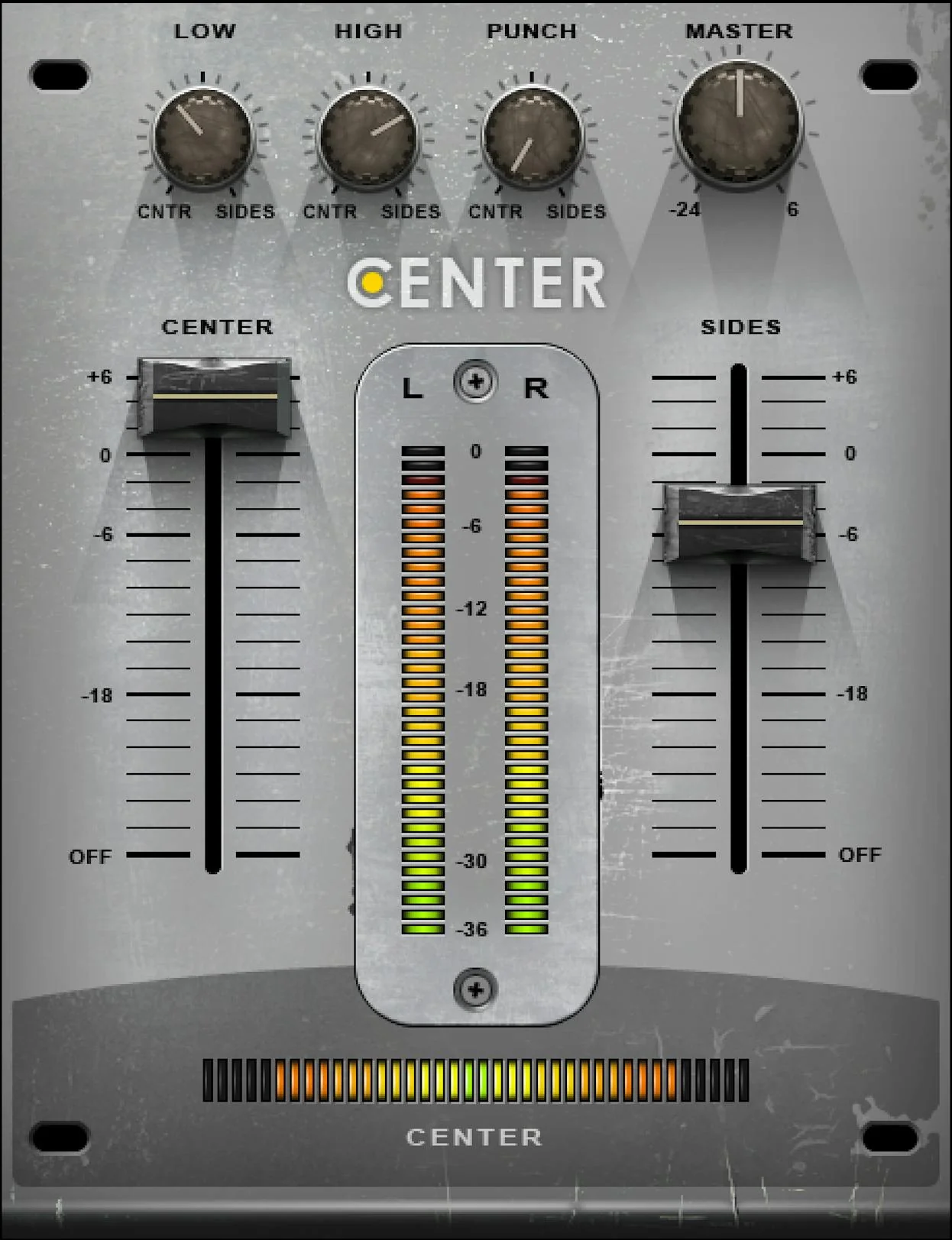
Waves Center: Center Channel Plugin
It’s never too late to fix a “finished” stereo mix—with Center
you can widen or narrow the stereo image
change the balance of sounds panned to the sides or center
raise or lower lead vocals
remix drum loops
minimize “mud
” or bring out the best in bus effects—even when you don’t have access to the multitrack session.
Center distills complex mid-side processing techniques into a convenient
easy-to-use tool. Now you can fine-tune and even “remix” tracks during mastering—from changing vocal levels
to opening up more space for synth pads. If the audio is split between center and sides—Center will give you full control.
Remix Vocal Levels
Most vocals are mixed to center so changing the center level raises or lowers the vocal compared to the rest of the track. A special Low control preserves the levels of low-frequency sounds (kick bass) mixed to center.Improve Your Master’s Stereo Image
A spacious stereo image makes a master more dramatic and adds clarity by spreading sounds over a wider stereo field. Center expands the stereo image by raising the side levels and optionally adding punch and high frequencies.Remix Drum Loops
Sometimes drum loops have the part you want but not the mix. Center is almost like remixing the loop’s individual tracks—distribute punch and EQ separately over the center or sides and change the drum balance.Shape Your Synths and Pads
Big stereo pads and orchestral sections sound impressive by themselves but they can obscure sounds mixed to center. No problem—use Center to increase the level in the synth’s sides and reduce its level in the center.Drive Your Bus
Use Center to shape the sound going into or coming out of bus effects. Create a super-wide reverb sound while keeping out the kick to avoid mud. Narrow or widen auto-pan effects or change the image of the overhead mics bus.Make Vinyl Happy
When mastering for vinyl it’s crucial to center the low frequencies. Center uses a combination of imaging and equalization to push the low frequencies to center while maintaining stereo imaging for the highs.Features:
- Separate the center “phantom” channel from the sides
- Widen stereo imaging for more impact and clarity
- “Remix” old mixes when the original multitracks aren’t around
- Change vocal levels in already mixed tracks
- With stereo pads open up space for sounds mixed to center
- Narrow the low frequencies for vinyl mastering
Requirements:
| Platform | CPU | RAM | Disk | Notes | Additional Requirement | Audio Card | Ports | Internet Required | 32 Bit Support | 64 Bit Support | Plugins |
| mac | 8 | 16 | 0 | 0 | 0 | VST-2 VST-3 AU AAX | |||||
| windows | 8 | 16 | 0 | 0 | 0 | VST-2 VST-3 AAX |
$1,330.20
Original: $4,434.00
-70%Waves Center: Center Channel Plugin—
$4,434.00
$1,330.20Product Information
Product Information
Shipping & Returns
Shipping & Returns
Description
It’s never too late to fix a “finished” stereo mix—with Center
you can widen or narrow the stereo image
change the balance of sounds panned to the sides or center
raise or lower lead vocals
remix drum loops
minimize “mud
” or bring out the best in bus effects—even when you don’t have access to the multitrack session.
Center distills complex mid-side processing techniques into a convenient
easy-to-use tool. Now you can fine-tune and even “remix” tracks during mastering—from changing vocal levels
to opening up more space for synth pads. If the audio is split between center and sides—Center will give you full control.
Remix Vocal Levels
Most vocals are mixed to center so changing the center level raises or lowers the vocal compared to the rest of the track. A special Low control preserves the levels of low-frequency sounds (kick bass) mixed to center.Improve Your Master’s Stereo Image
A spacious stereo image makes a master more dramatic and adds clarity by spreading sounds over a wider stereo field. Center expands the stereo image by raising the side levels and optionally adding punch and high frequencies.Remix Drum Loops
Sometimes drum loops have the part you want but not the mix. Center is almost like remixing the loop’s individual tracks—distribute punch and EQ separately over the center or sides and change the drum balance.Shape Your Synths and Pads
Big stereo pads and orchestral sections sound impressive by themselves but they can obscure sounds mixed to center. No problem—use Center to increase the level in the synth’s sides and reduce its level in the center.Drive Your Bus
Use Center to shape the sound going into or coming out of bus effects. Create a super-wide reverb sound while keeping out the kick to avoid mud. Narrow or widen auto-pan effects or change the image of the overhead mics bus.Make Vinyl Happy
When mastering for vinyl it’s crucial to center the low frequencies. Center uses a combination of imaging and equalization to push the low frequencies to center while maintaining stereo imaging for the highs.Features:
- Separate the center “phantom” channel from the sides
- Widen stereo imaging for more impact and clarity
- “Remix” old mixes when the original multitracks aren’t around
- Change vocal levels in already mixed tracks
- With stereo pads open up space for sounds mixed to center
- Narrow the low frequencies for vinyl mastering
Requirements:
| Platform | CPU | RAM | Disk | Notes | Additional Requirement | Audio Card | Ports | Internet Required | 32 Bit Support | 64 Bit Support | Plugins |
| mac | 8 | 16 | 0 | 0 | 0 | VST-2 VST-3 AU AAX | |||||
| windows | 8 | 16 | 0 | 0 | 0 | VST-2 VST-3 AAX |